Product guide
Security, privacy and safe connections
Understand account access, payment boundaries and the permissions needed before connecting private data or devices.
Public explanation of verified limits and intended safeguards. Several product connections and access controls are still being completed.
Security, privacy and safe connections
Understand the account, payment and connection boundaries before using a service.
Read each app’s current availability. Several integrations and access gates remain unfinished.
- Read the availability and security notes for the app you want to use.
You can distinguish public explanation and fictional previews from an available protected operation.
- Use the genuine account and provider flows when verified connections are available.
Identity, app permission and resource ownership remain separate checks.
- Choose device and microphone permissions deliberately, and keep private data out of public examples.
Public help and an appearance preference grant no access to a private resource.
You know what to check before connecting and where the current limits are described.
If something goes wrong
I need to share a private problem. Do not post credentials, private messages, card details or member data publicly. A private incident reporting service is not established by these guides.
Check what is available
Public guides and explicitly labeled fictional previews can be read without app access. A screenshot or local demonstration does not prove a connected service, an installed update or an active security control. Read each app’s availability and limits before providing information or connecting anything.
The shared account foundation is hosted, but the new manual app grants, owner administration and private documentation permissions are still being prepared. Fitness uses fictional demo records. Mail has no connected real inbox. Billing is not active. These guides do not establish that every existing prototype enforces the intended access model.
Your identity and your permissions are separate
Firebase handles password authentication for the seafonic account. Enter a password only through the genuine account sign in flow. Never put passwords, recovery codes or login links in Community posts or public support examples.
Creating an account and verifying an email address identify a user. They do not grant permission to use every app. The intended access model checks the active account and its particular app permission on the server before protected actions. Until payment enforcement is ready, approved app access is intended to use explicit owner grants. These new gates are not yet installed.
App permission also does not establish ownership of a playlist, mailbox, device or gym record. Each connected resource needs its own permission. Restoring a saved screen should restore useful context only after access has been checked again.
Sign out after using a shared computer. Signing out of one browser should not be treated as proof that every session or external provider connection has been revoked. A paid app entitlement, a gym role and access to private documentation are separate permissions.
Payments and PCI responsibilities
Billing is not active. Prices, payment controls and membership dates in fictional demonstrations do not create a purchase, payment or subscription. Do not enter real card details into a demo or send them in a message.
The intended payment boundary uses Stripe to collect card details through its payment interface rather than through seafonic forms or servers. Keeping card details with the payment provider reduces the amount of sensitive information the application needs to handle. It does not by itself establish seafonic PCI DSS compliance.
PCI responsibilities still apply when a merchant outsources payment processing. The applicable validation depends on the actual integration and the requirements of the organizations managing the merchant’s compliance program. This documentation makes no claim of seafonic certification, a completed assessment or eligibility for a particular self assessment questionnaire.
An eventual payment connection must confirm purchases through trusted server information before granting the purchased app’s access. A return to a success page, a browser flag or a screenshot of a receipt is not payment verification. Cancellation, renewal and refund behavior must be described from the released billing integration before customers rely on it.
References: PCI SSC guidance on outsourced payments, Stripe integration security guide
Connect only what you need
Use a provider’s own authorization screen when an app offers a verified connection. Check the account and requested permissions before approving. App access does not replace provider consent, and connecting one service should not give access to unrelated services.
Browser microphone and device prompts are additional choices. A permission prompt allows a browser operation; it does not prove that a device belongs to the signed in account or that a proposed hardware control works. Start capture, playback or device actions deliberately and stop when finished.
The efficient approach is to share a small account foundation while keeping app permissions and resource ownership separate. Use established authentication and payment providers, request only the access needed for the task, and keep sensitive credentials out of browser bundles and saved interface state. These are design requirements, not a statement that all planned integrations are deployed.
Protected hosted connections are intended to use HTTPS and trusted server storage. A local hardware connection has its own limits and should not be assumed to offer the same protection as a hosted account service. Encryption alone does not establish who owns a resource or what they may do with it.
Keep public help free of private data
Use fictional examples when discussing a problem publicly. Remove account identifiers, private messages, member information, network details and credentials from screenshots. A public display name or hidden service link is not a substitute for permission to share someone else’s data.
Public documentation and its readable exports explain ordinary workflows. They do not grant app privileges to a person or an AI. Private technical material requires separately approved access and must not be included in public pages or archives.
Prototype data handling is described per app. These guides do not establish a general retention period, a deletion guarantee, a complete privacy policy or a private incident reporting service. When a private support route is available, use it for sensitive problems and share only the information needed.
More product information and background
Available pages
How to use it
Read the availability label first. Actual app use requires approved access when released. Local demonstrations use fictional records.
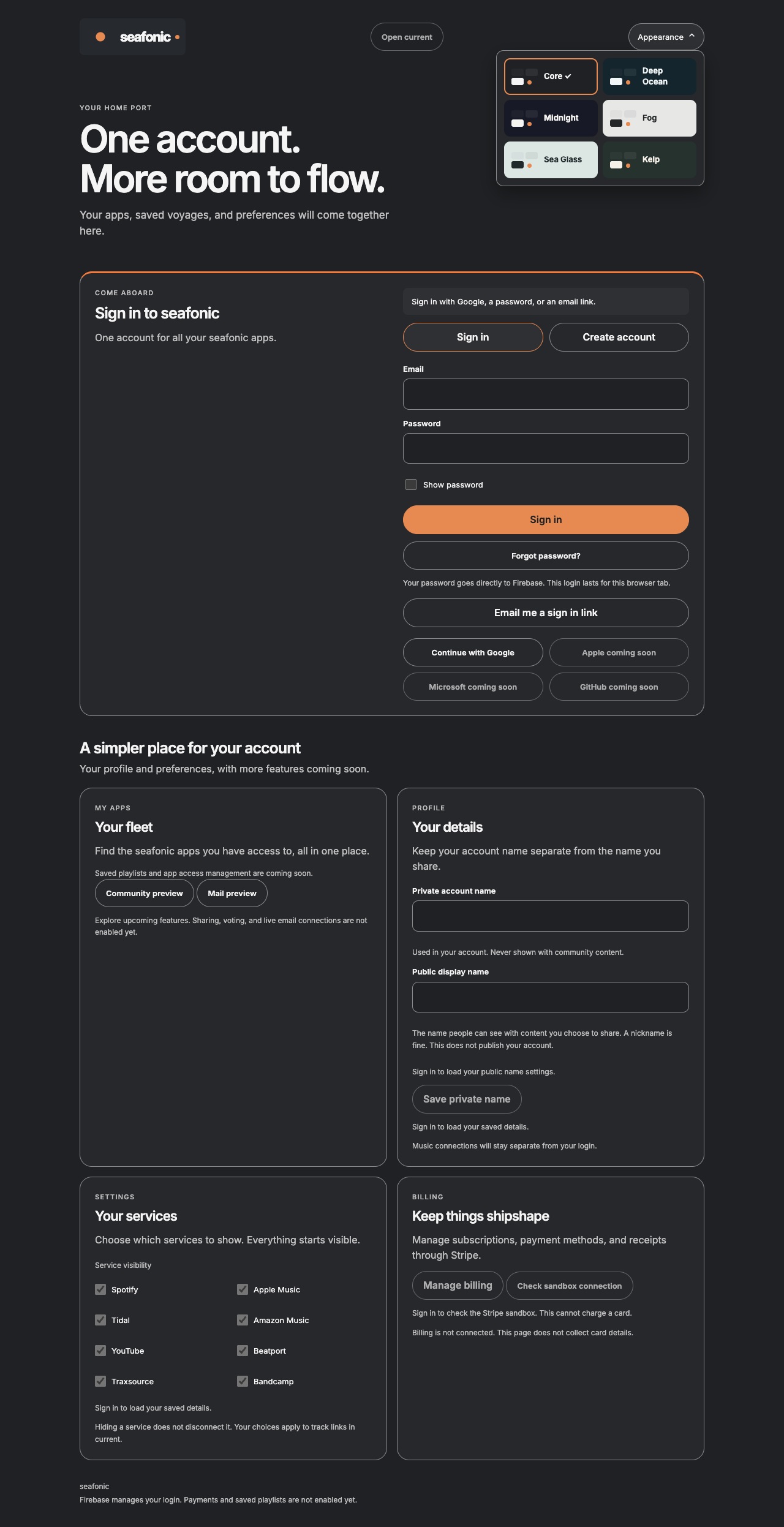
- Open the Account page. Use an available sign in method when secure login is ready.
- After verified sign in, review your private account name and optional public display name. A public name does not publish your account.
- Choose which service links you want visible. Hiding a service does not disconnect it or cancel a purchase.
- Request access to the particular app you need. Being signed in is not an app permission.
- Sign out when finished on a shared computer.
What to expect
The hosted foundation supports account identity and preferences. Newly requested app permissions still require the owner controlled grant process.
Profile and preference saving is an account action when authenticated. Saved playlists and live billing are not established by the portal preview.
Things to know
- Billing and the new app grant, administrator and private documentation gates are not activated. This public explanation does not establish a security assessment or PCI certification.
Getting help
I need to share a private problem.
Do not post credentials, private messages, card details or member data publicly. A private incident reporting service is not established by these guides.
Public guide version 2026-10-03.6.1. Reviewed 2026-10-03.